
Trolling Motor Interference: Troubleshooting Sonar Noise and Cable Routing
Justin HarrisonShare
Lines, speckles or unstable sonar images can have several causes. A trolling motor battery switch or mounting bracket is not, by itself, a diagnosis. Start by recording when the problem appears and checking the installation instructions for your specific sonar and trolling motor.
Electrical interference and acoustic crosstalk are different
Electrical interference can involve motors, power wiring or other powered equipment. Acoustic interference involves sonar signals, including interference between transducers. Transducer placement, operating settings and installation conditions can also affect the image. Changing a switch bracket will not resolve every cause.
A practical troubleshooting checklist
- Record the symptom. Note which display and sonar mode are affected and whether the issue changes with trolling motor speed, engine operation or another sonar being enabled.
- Compare one change at a time. When safe, compare the image with individual sources turned off. Save screenshots and settings so the equipment manufacturer can review the pattern.
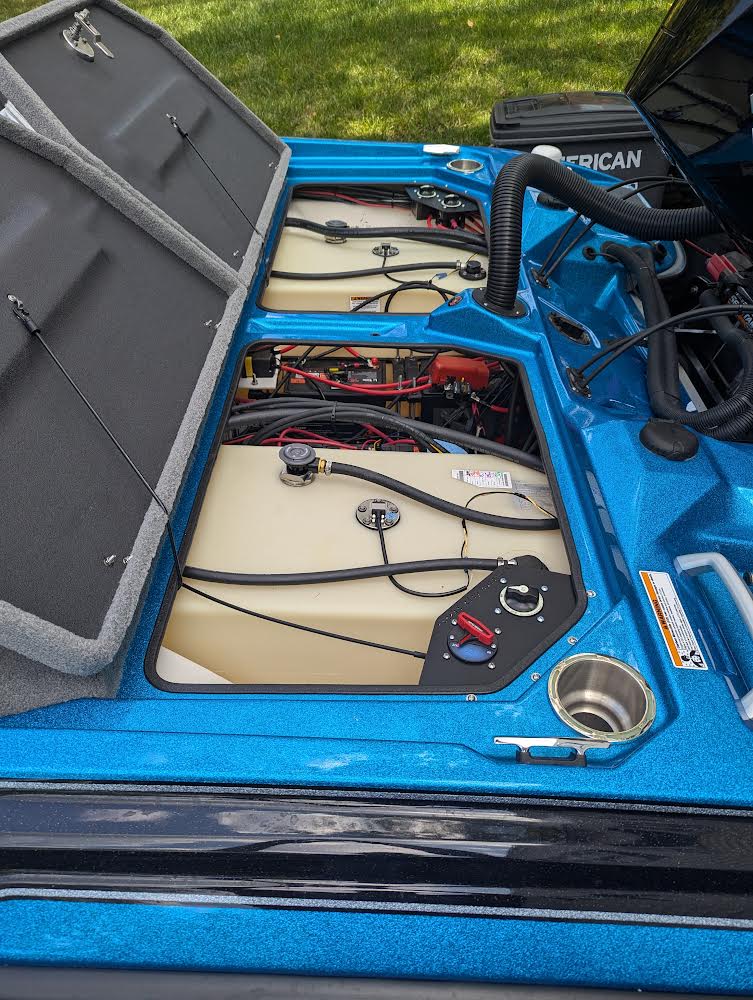
- Inspect accessible wiring. Look for loose connections, damaged cables and routing that places transducer cables beside high-current power wiring. Follow equipment instructions before opening or changing electrical connections.
- Check transducer placement. Use the manufacturer’s placement guidance for the actual model and mounting arrangement.
- Escalate with evidence. Give the equipment manufacturer or installer the model numbers, cable routing photos and your observations before purchasing replacement components.
Cable routing: use model-specific guidance
Garmin’s transducer placement guide recommends separating transducer cables from potential interference sources and describes crossing power cables at right angles where appropriate. Our earlier article gave a universal 12–18 inch separation rule; that recommendation has been removed. There is no single clearance that this article can prescribe for every boat and device.
Grounding changes, ferrites and filters should follow the equipment manufacturer’s instructions. Do not add a ground connection or alter battery-bank wiring simply because another boat’s installation looks similar.
What a trolling motor battery switch mount can do
A correctly selected mount can provide an accessible place for the switch and help organize the compartment. Plan room for cables, terminal protection and service access. A mount does not suppress EMI, eliminate acoustic crosstalk or guarantee clearer sonar readings.
Mounting and customer examples
Browse our universal battery switch mounting brackets and Customer Installation Gallery to compare mounting locations. Photos show individual customer installations, not proof of electrical compatibility. A bracket organizes and supports a switch; it does not regulate voltage or filter electrical noise.
About the author: Justin Harrison, Rocket City Outdoors. Updated October 10, 2026. Manufacturer references below describe the named manufacturers’ equipment; they are not specifications for unbranded switches sold by RCO.
Source
Garmin Transducer Placement Guide. Consult the manual and support team for your own equipment; Garmin guidance does not establish compatibility or performance for other manufacturers’ products.


